SyncRescue for Mac and Windows
Your files, safe in more than one place.
A menu bar backup utility that keeps independent copies of your folders on local drives, network shares, SSH servers, and Google Drive.
SyncRescue lives in the menu bar and protects the folders you choose. Set one source and as many destinations as you need, then follow progress, history, and restore points from one place.
Free to download. Every feature works for 14 days; after that the free features keep working.
 Apple Silicon DMG (1.0.13)
 Windows ARM64 (1.0.0)
Licence terms apply. See our Terms of sale and licence.
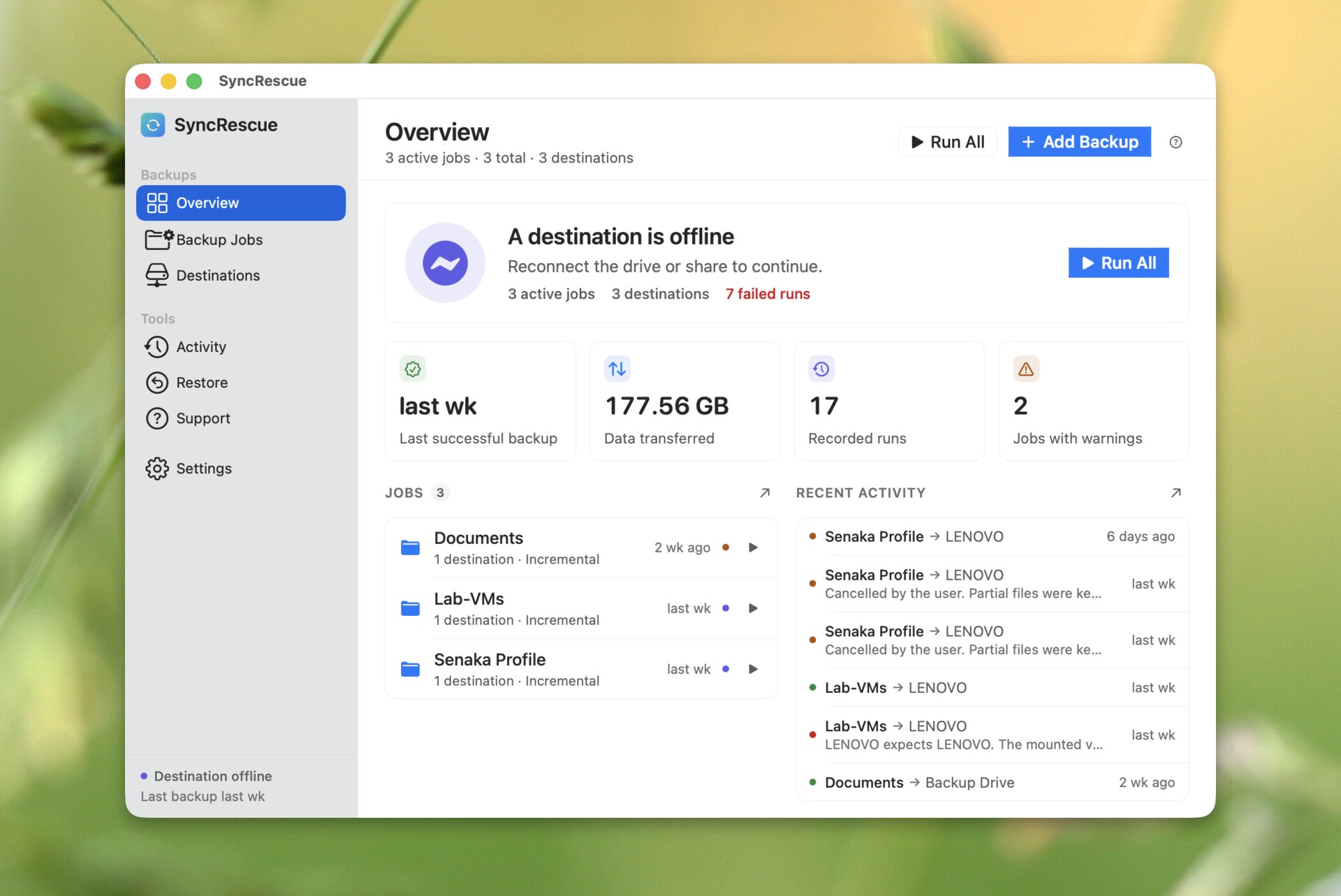
A closer look
Every screen you will use
The screens you will actually work in on Mac and Windows.
Built for backup confidence
Every destination in one place
Send a copy to local drives, mounted shares, SSH servers, or Google Drive. Check the result without guesswork.
- Back up to local drives, mounted SMB or NFS shares, SSH servers, and Google Drive
- Choose incremental copy, mirror, or versioned snapshots for each destination
- See live progress, speed, file count, and ETA in the menu bar panel
- Run preflight checks for missing volumes, read-only drives, and low space
- Browse backups and restore files, including retained versioned snapshots
- Review run history and logs, export CSV, and receive native failure alerts
At a glance
Safe copies on your terms
- macOS 14 or later
- rsync 3.1 or later, Homebrew rsync recommended
- SSH hosts must be trusted in known_hosts
- Google Drive needs a desktop OAuth client JSON
Windows 11 preview
SyncRescue for Windows 11
The Windows edition is available as a preview. The same licence key works on Windows, and the installer includes rsync. It covers jobs, local and UNC destinations, SSH servers, incremental and mirror modes, schedules, history and restore.
Not in the preview yet: Google Drive destinations, versioned snapshots and the menu bar panel. The macOS edition remains the full release.
The installer is not code-signed yet. Verify the SHA-256 checksum before you run it, then choose More info and Run anyway if Windows warns.
Straightforward pricing
One price, in the licence table
One-time purchase, permanent licence
SyncRescue
14-day full trial, no card
Single Licence
US$29.90
Back up to local drives, mounted SMB or NFS shares, SSH servers, and Google Drive
Choose incremental copy, mirror, or versioned snapshots for each destination
See live progress, speed, file count, and ETA in the menu bar panel
Run preflight checks for missing volumes, read-only drives, and low space
Browse backups and restore files, including retained versioned snapshots
Review run history and logs, export CSV, and receive native failure alerts
Pricing
Free, Single Licence or Multiple
Download free and use every feature for 14 days. Then pick the licence that fits.