Floatplayer for Mac
Watch while you work.
A floating Mac video player, so you can watch while you work.
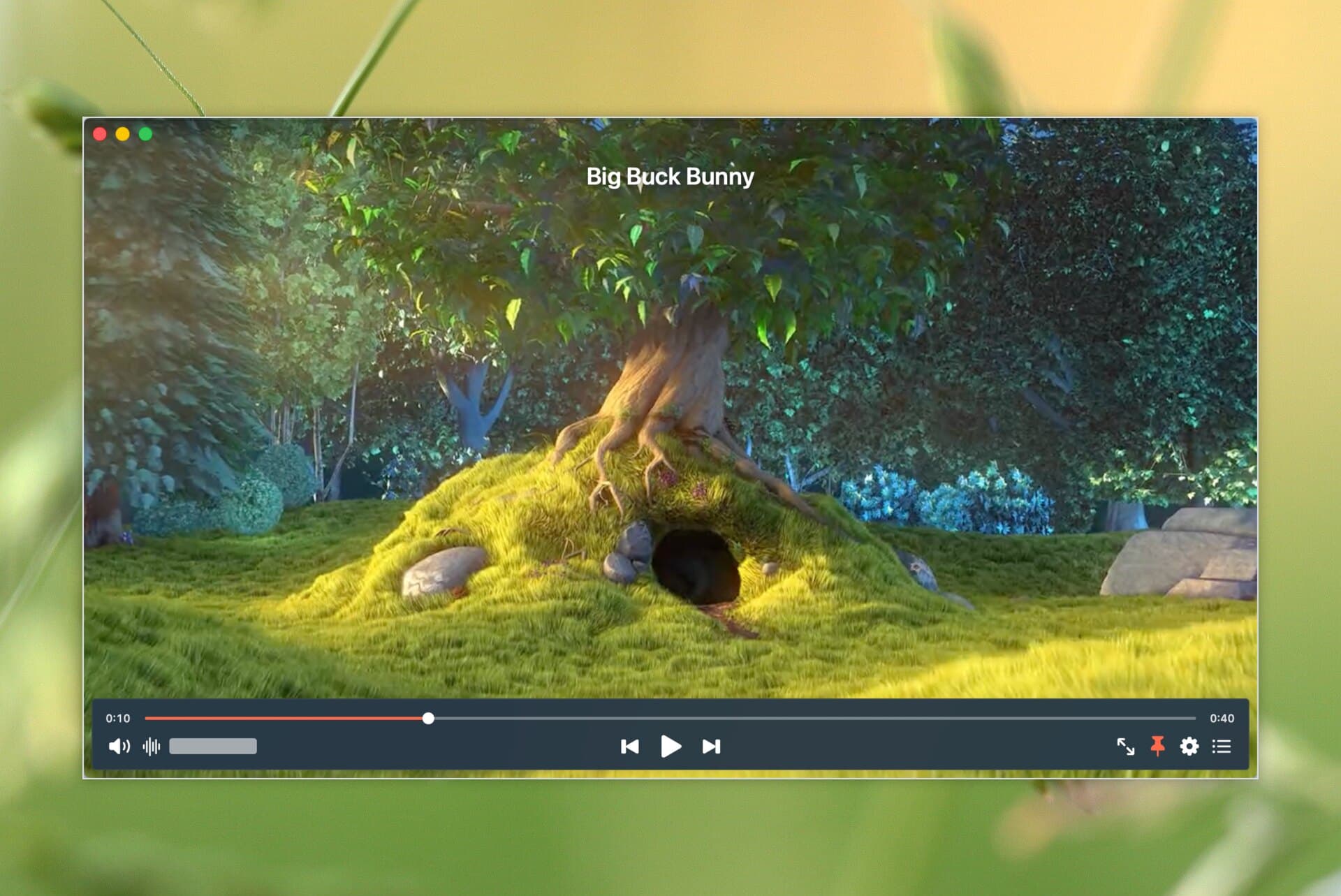
Floatplayer keeps video in a compact floating window while you work. Queue YouTube playlists and local files, resume where you left off, and keep notes and ratings in your watch history. YouTube playback uses the official embedded player; local MP4, WebM and MKV files are also supported.
Free to download. Every feature works for 14 days; after that the free features keep working.
 Apple Silicon DMG (1.1.2)
Licence terms apply. See our Terms of sale and licence.
A closer look
Every screen you will use
The screens you will actually work in on Mac.
A player that stays close
Keep videos within reach
Play online videos and local media without losing your place in other work.
- Play YouTube videos and playlists in a floating window
- Open local or linked MP4, WebM, and MKV videos
- Save queues, resume positions, and watch history
- Control playback from the menu bar
At a glance
For Mac video playback
- macOS 13 or later on Apple Silicon (arm64)
Feature list
Everything Floatplayer does
Playback, the saved queue, notes and history, window controls, and the privacy rules behind the player.
Playback
- YouTube videos through the official IFrame Player API.
- YouTube playlists, with previous and next navigation.
- Local or linked MP4 and WebM files.
- Local or HTTP(S) MKV files, played with the bundled VLC decoder.
- Disney+ and other supported pages through Open URL, with your existing sign-in.
- Resume position saved per video and restored from a URL, history, queue or launch.
- Fill Player Window crops to the real aspect ratio, including Shorts. 16:9 resize lock is on by default.
Queue and playlists
- Saved queue with nested folders. Open it with Command-Shift-P.
- Add links, files and whole folders, then search titles and URLs.
- Multi-selection, drag reordering, Move To and New Folder with Selection.
- Repeat off, all or one. Shuffle all, or shuffle only what is left.
- Import M3U and M3U8 as a folder, and export the queue as M3U.
- Media folder discovery merges new files without losing your order.
- Remove an entry or move the original file to the macOS Trash, as separate actions.
Library and notes
- Recent videos in the menu bar.
- Watch history with resume times.
- Free-form notes for each watched video.
- One to five star ratings and a thumbs-down mark.
- Reopening a video updates the same entry instead of creating a duplicate.
- Notes, rating, thumbs-down and timeline stay attached to that entry.
Window and menu bar
- Always-on-top floating window, toggleable.
- Hover transparency fades the window and passes clicks through. Off by default.
- 80% transparency preset that stays clickable, and a 25% dimmer.
- Follow AeroSpace workspaces, on by default.
- Menu bar controls for Open URL, transparency, always on top, fill and recent videos.
- The window is kept on screen and the playlist fits smaller displays.
- Closing the player saves state, stops audio and quits.
Formats and privacy
- YouTube playback stays inside the official embedded player.
- No ad blocking, ad skipping, or hiding of YouTube controls and branding.
- No downloading, caching or re-hosting of YouTube streams.
- MKV uses the bundled VLC decoder. MP4 and WebM use WebKit.
- Direct HTTP(S) video URLs and file, folder, text or URL drops.
- History, queue and preferences stay on your Mac.
Licence and updates
- Product licence key, entered from Licence Key…
- One key activates two Macs, with offline grace.
- Signed and notarised Apple Silicon build.
- Sparkle 2 updates.
Straightforward pricing
One price, in the licence table
Perpetual of access, billed upfront.
Floatplayer
14-day full trial, no card
Single Licence
US$29.90
Play YouTube videos and playlists in a floating window
Open local or linked MP4, WebM and MKV videos
Save queues, resume positions and watch history
Control playback from the menu bar
The free download is the whole app for 14 days, with no account and no card. One key covers two devices and arrives by email after purchase.
Pricing
Free, Single Licence or Multiple
Download free and use every feature for 14 days. Then pick the licence that fits.